
Google Ads is one of the most effective online advertising platforms for businesses of all sizes. It helps businesses reach potential customers by displaying ads on Google Search, YouTube, Google Maps, Gmail, and millions of websites across the internet. Whether you own a small business, an online store, or want to promote your services, Google Ads can help you increase website traffic, generate leads, and boost sales.
If you’re new to digital marketing, may seem complicated at first. However, once you understand the basics, it becomes a powerful tool for growing your business. In this beginner’s guide, you’ll learn what Google Ads is, how it works, its benefits, campaign types, and best practices for creating successful ads.
What is Google Ads?
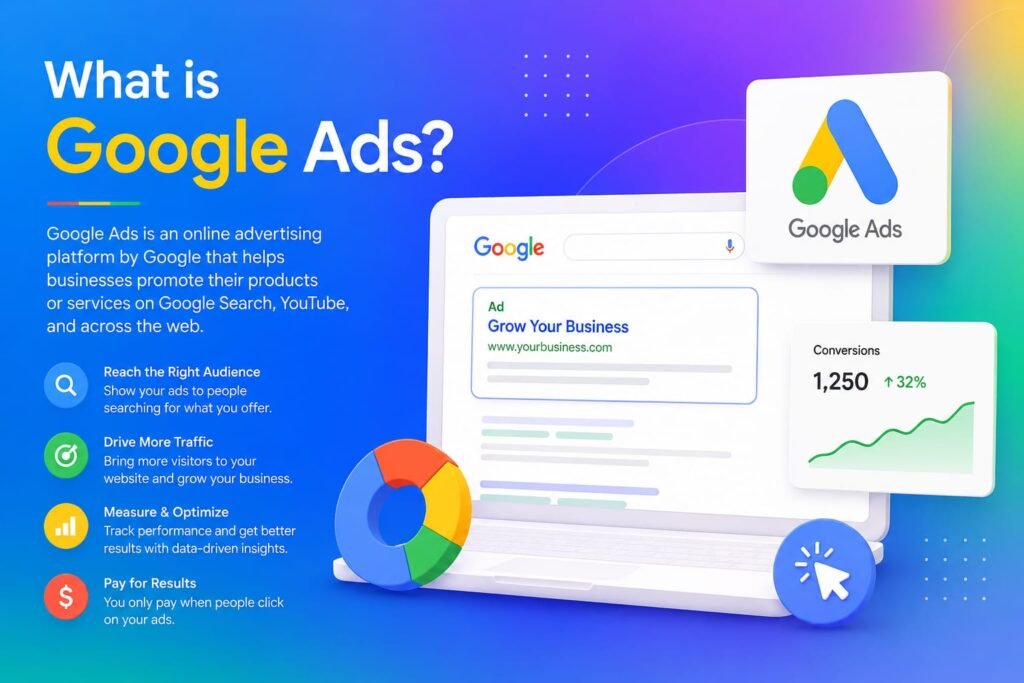
Google Ads is Google’s online advertising platform that allows businesses to display paid advertisements to people searching for products or services online. Advertisers bid on keywords related to their business, and their ads can appear at the top of Google search results or across Google’s advertising network.
Unlike Search Engine Optimization (SEO), which takes time to improve rankings organically, Google Ads can help businesses appear in search results almost immediately after launching a campaign.
How Does Google Ads Work?
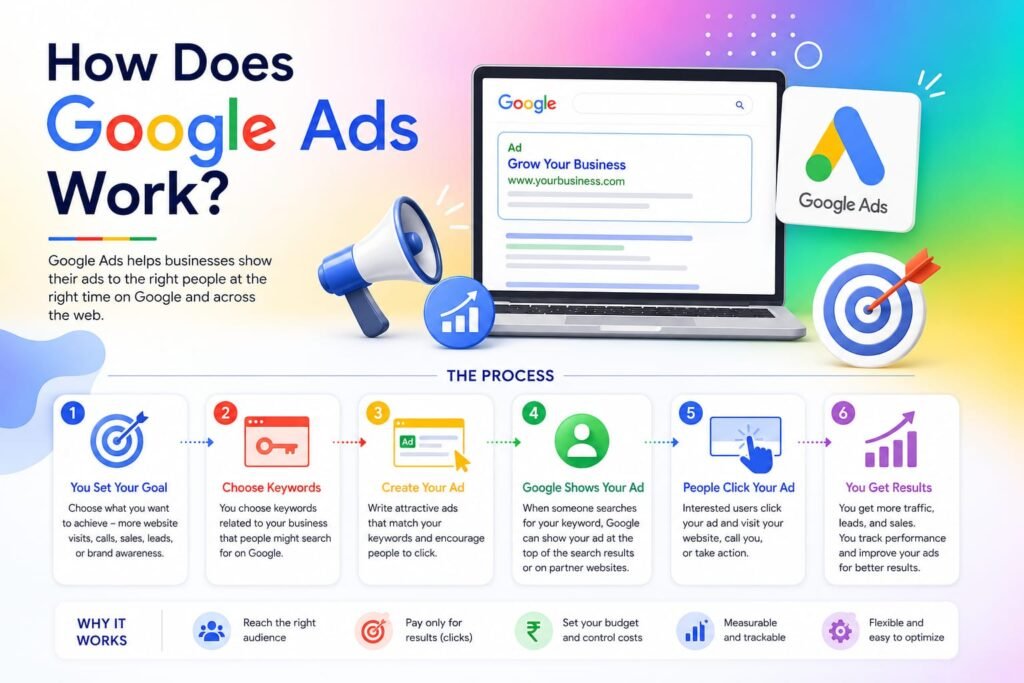
Google Ads works on a pay-per-click (PPC) model. This means advertisers only pay when someone clicks on their ad.
The basic process is simple:
- Choose keywords related to your business.
- Create an advertisement.
- Set your daily or monthly budget.
- Launch the campaign.
- Google displays your ad to relevant users.
- You pay only when someone clicks your advertisement.
Google also considers your ad quality and landing page experience when deciding where your ad appears.
Why Should Businesses Use Google Ads?
Google Ads offers many advantages for businesses.
Some of the biggest benefits include:
- Reach customers actively searching for your products or services.
- Increase website traffic quickly.
- Generate quality leads.
- Improve online visibility.
- Set flexible advertising budgets.
- Measure campaign performance accurately.
- Target specific locations, devices, and audiences.
Because Google is the world’s most popular search engine, businesses can connect with customers at the exact moment they are looking for solutions.
Types of Advertising Campaigns”
Google Ads offers several campaign types depending on your marketing goals.
1. Search Campaigns
Search ads appear at the top of Google search results when users search for relevant keywords.
These ads are text-based and are excellent for generating leads and website traffic.
2. Display Campaigns
Display ads appear on websites, blogs, and mobile apps that are part of Google’s Display Network.
These campaigns are ideal for increasing brand awareness through images and banners.
3. Video Campaigns
Video campaigns display advertisements on YouTube and other video platforms.
They are perfect for promoting products, services, or brand awareness using engaging video content.
4. Shopping Campaigns
Shopping ads showcase products with images, prices, and store information directly in Google search results.
These campaigns work well for e-commerce businesses.
5. Performance Max Campaigns
Performance Max campaigns use Google’s artificial intelligence to display ads across Search, YouTube, Gmail, Maps, Display, and Discover from a single campaign.
They help businesses maximize conversions across multiple Google platforms.
Important Advertising Terms
Understanding these basic terms will make managing campaigns easier.
Keyword: The word or phrase users search on Google.
PPC (Pay-Per-Click): You pay only when someone clicks your ad.
CTR (Click-Through Rate): The percentage of people who click your ad after seeing it.
CPC (Cost-Per-Click): The amount you pay for each click.
Conversion: A valuable action taken by a visitor, such as making a purchase, filling out a contact form, or calling your business.
Quality Score: Google’s rating of your keyword relevance, ad quality, and landing page experience.
How to Create Your First Advertising Campaign
Creating your first campaign is straightforward.
Step 1: Create a Google Ads Account
Sign in using your Google account and set up your advertising profile.
Step 2: Choose Your Goal
Select a campaign objective such as:
- Website Traffic
- Sales
- Leads
- Brand Awareness
- App Promotion
Step 3: Select Campaign Type
Choose Search, Display, Video, Shopping, or Performance Max based on your marketing objectives.
Step 4: Select Your Target Audience
Target users by:
- Country
- City
- Language
- Device
- Interests
- Age group
Accurate targeting improves campaign performance.
Step 5: Choose Keywords
Use relevant keywords that potential customers are likely to search.
For example, a dental clinic could target:
- Best dental clinic
- Teeth cleaning
- Dental treatment near me
Avoid selecting keywords that are too broad.
Step 6: Write Effective Ads
A successful ad should include:
- A clear headline
- Relevant keywords
- Strong benefits
- A clear call-to-action
Example:
Professional Digital Marketing Services
Grow your business with SEO, Google Ads, and Social Media Marketing. Contact us today for a free consultation.
Step 7: Set Your Budget
Google Ads allows complete control over your spending.
You can set:
- Daily budget
- Monthly budget
- Maximum bid amount
This flexibility makes Google Ads suitable for both small and large businesses.
Best Practices for Google Ads
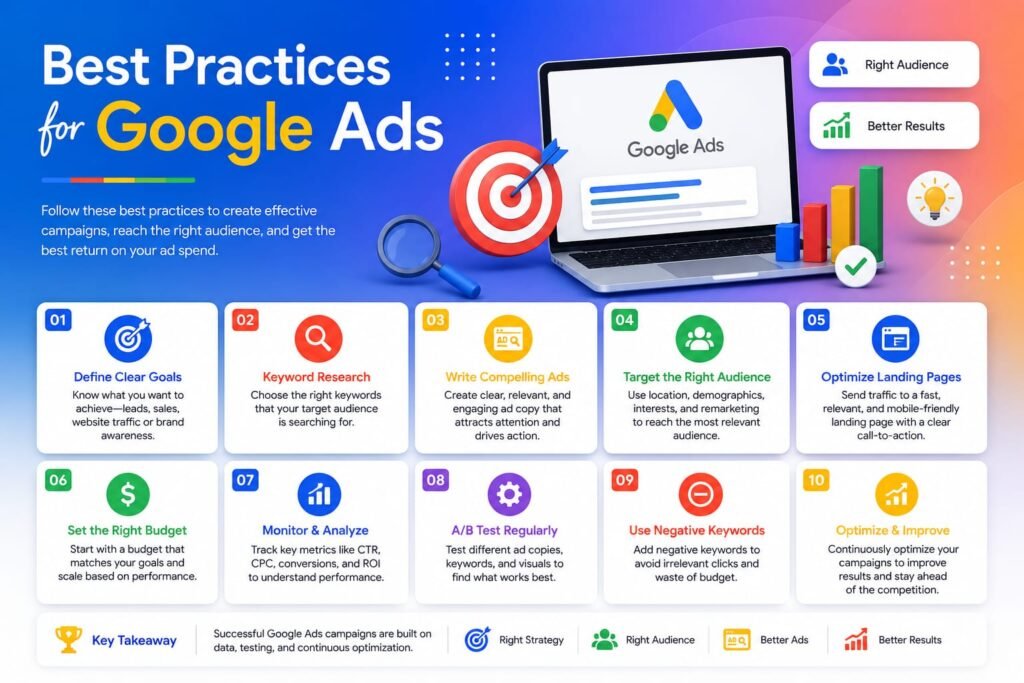
To improve campaign performance, follow these tips:
- Use relevant keywords.
- Write clear and engaging ad copy.
- Include strong calls-to-action.
- Create fast-loading landing pages.
- Test multiple ads.
- Monitor campaign performance regularly.
- Improve your Quality Score.
- Use negative keywords to avoid irrelevant traffic.
Small improvements can significantly increase your return on investment.
Common Google Ads Mistakes
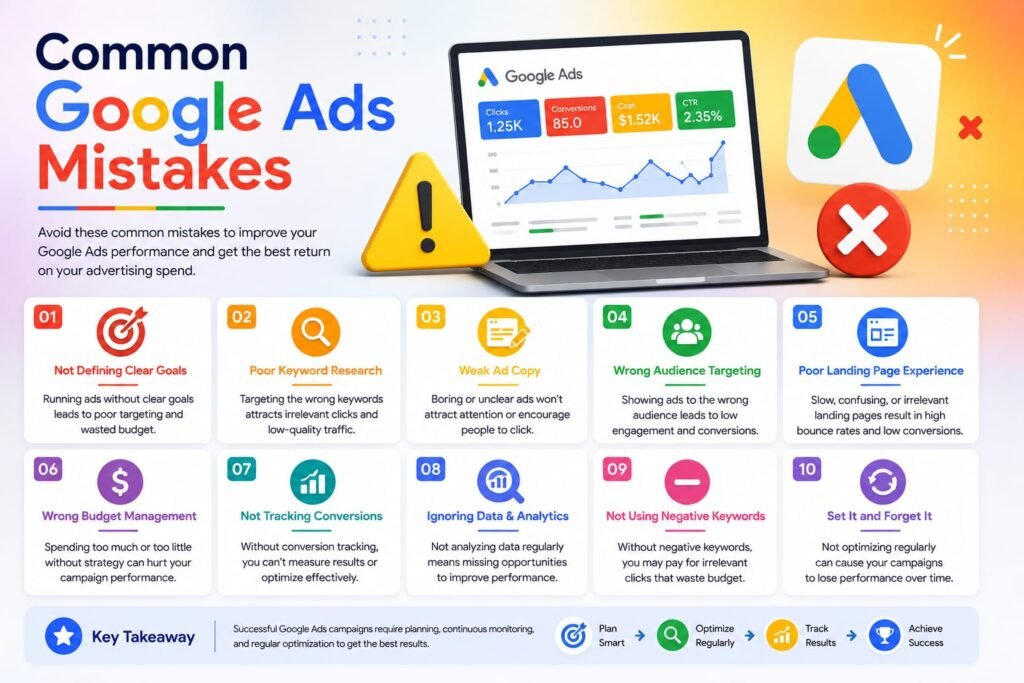
Many beginners make mistakes when starting with Google Ads.
Avoid these common errors:
- Choosing broad keywords.
- Ignoring negative keywords.
- Sending visitors to poor landing pages.
- Not tracking conversions.
- Using weak ad headlines.
- Forgetting to optimize campaigns.
- Setting unrealistic budgets.
Learning from these mistakes helps improve campaign success over time.
Google Ads vs SEO
Google Ads and SEO both help increase website traffic, but they work differently.
| Google Ads | SEO |
| Paid advertising | Organic search optimization |
| Immediate results | Long-term results |
| Pay for every click | No cost per click |
| Fast visibility | Takes time to rank |
| Budget required | Time and optimization required |
Many successful businesses use both strategies together for maximum online visibility.
If you want any digital marketing service for your business Contact me
Conclusion
Google Ads is an excellent advertising platform for beginners and experienced marketers alike. It allows businesses to reach the right audience at the right time, drive targeted traffic, and increase conversions. By understanding keywords, choosing the right campaign type, writing compelling ads, and continuously monitoring performance, you can create successful campaigns that deliver measurable results.
While Google Ads may require some learning and experimentation, consistent optimization and smart planning will help you achieve better outcomes. Whether you’re promoting a local business, an online store, or professional services, Google Ads can become a valuable part of your digital marketing strategy.